Kids' Browser Games an Adult Can Actually Sit Beside
By IPObrains Editorial 6 min read
Free kids' browser games grouped by age and patience, with honest notes on each and tips for sharing one screen without a tug of war.
Twenty minutes is the real test. Not whether a child likes a game, because children will like almost anything that makes a noise when poked, but whether the adult on the next chair can last that long without inventing an excuse to go and check the oven. A lot of games made for kids fail this badly. Every tap sets off a jingle, every right answer throws confetti, and a shop button starts glowing the second the player pauses to think. The picks below try to steer clear of that, and where a game is clearly designed to keep a child hooked, I've said so.
All of them run in a browser tab. Nothing to install, no account to set up, nothing to approve or remove later. I've grouped them loosely by age, but attention span is the more honest guide. On most of this list, a fidgety nine-year-old will give up before a patient five-year-old does.
Tiny hands, lots of tapping
For the youngest players, a tap should make something visible happen, and tapping the wrong thing shouldn't be punished. Baby Bear works that way. It's click-and-play: your child gives Mummy and Daddy Bear a hand preparing for a new arrival, then takes care of the baby, with a bit of customising in between. If there's a real sibling on the way, expect this one to be treated with great seriousness.
Cute Little Dragon Creator is basically a dressing-up box with a dragon in it. You drag colours and accessories on, admire the result, and start over. There's no winning, just making. Your part is asking about the purple wings, then settling in, because the explanation will not be short. Everything works by clicking and dragging, so a mouse or tablet is kinder to it than a small phone.
Cat Clicker also lands in this age group, and it's the one I'd treat with caution. More on that further down.
Starting to read
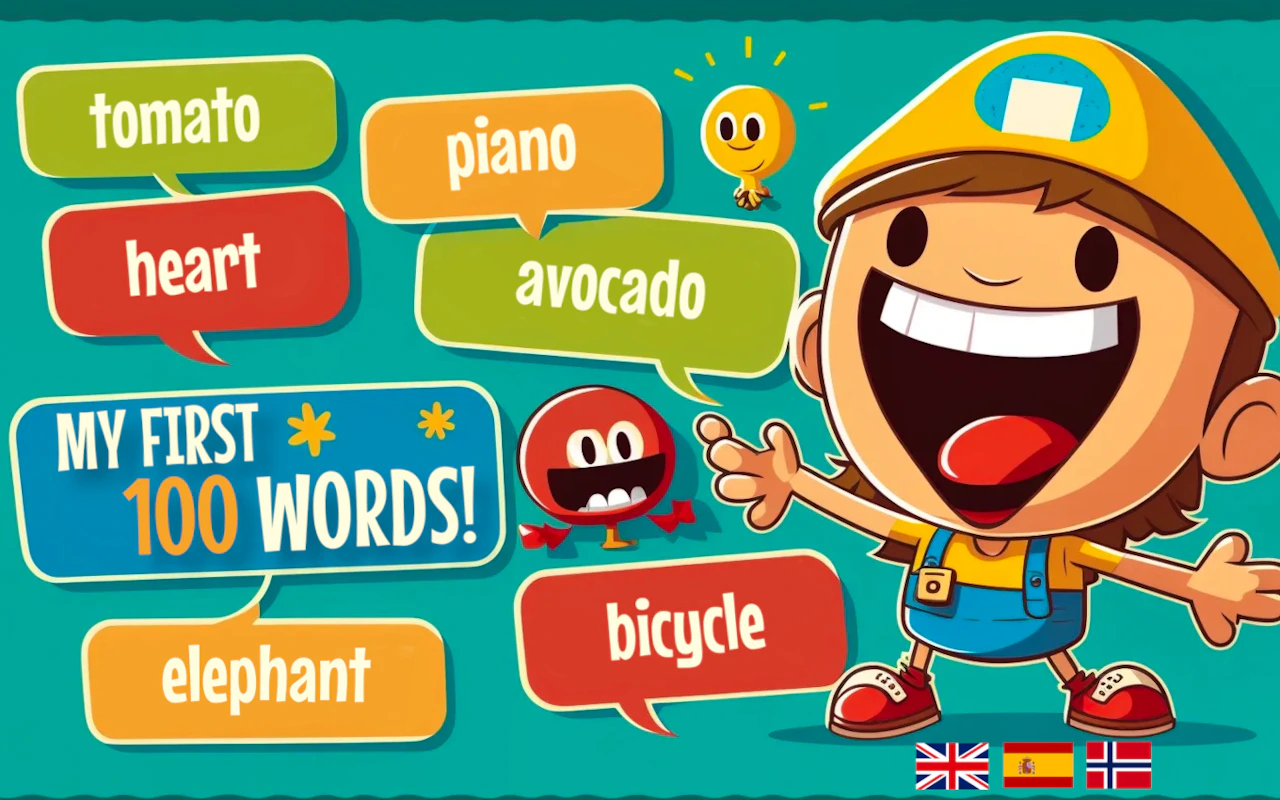
In My First 100 Words, children spot emojis while hearing each word said correctly. It covers more than one language, which means a six-year-old who's got "apple" sorted can hear it in a different language and begin linking sounds with pictures. Keep sessions brief. Repetition is how word games teach small children, and repetition gets dull fast.
Save The Planet is about sorting rubbish. Items turn up, you drag each one to the correct bin, and the bins are based on the Italian system. There's a timer to beat and the levels get tougher as you progress. If you see a child chucking things in any old bin just to beat the clock, stop for a minute and talk through what each bin is for. Don't be surprised if your own recycling habits get audited afterwards.
Going up is a flying game played with one tap. Tap and the bird climbs, steer it through the gaps between obstacles, pick up coins for new skins. It's all about timing. Since it only needs taps, it's an easy thing to pass over in a waiting room, and an easy thing to lose half an hour to.
Eight and older
By now a game can hold a proper idea, and there's a decent chance the adult will want a go.
2048 is the classic in this bunch. You slide tiles, equal numbers combine, and you're trying to build a 2048 tile before the board clogs up. All that doubling sneaks in some arithmetic practice that kids may not notice they're doing. A well-known tip: park your biggest tile in a corner and mostly use three directions, not four.
Draw Save Puzzle gives you a stick figure in trouble and a pen. Sketch a line or shape and find out whether the figure makes it. A mouse or larger screen makes the drawing easier, and puzzles like this are great for two people having a useful argument about which shape will work.
Math Battle is arithmetic with dinosaurs. Get answers right and your dinosaur stays strong. Duels get harder as they go on. That makes it a good match for a child who has their facts down and fancies putting them to work. For someone still learning them, it could feel stressful.
How Many Mice is about counting, and about holding back. Mice hide in a scene, every tap might uncover more, and every tap also costs something. The trick is to look properly before touching anything.
Games without a natural ending
Some games are made to finish a session. Others are made so a session never finishes. Cat Clicker belongs to the second group. Tap to produce cat bubbles, spend on upgrades that make the numbers climb quicker, reset, repeat. A clicker never says "level complete", which leaves no obvious stopping point, and a small child is unlikely to invent one. If you allow it, settle the finishing time before the very first tap.
Two more with a similar pull are Going up and Hungry Squirrel, where you dodge birds and gather nuts while the speed creeps up. Both are high-score games. When each round ends on a number, another go costs nothing and is always right there. That doesn't make them bad. It makes them the games where a grown-up has to call time, since the game itself never will.
One device, two people
Lower the volume before you hand the device over. Many children's games start with music blaring.
Choose the device to suit the game. Tap-only games like Going up and 2048 work fine on a phone. Anything needing careful drawing or dragging, like the dragon creator or Draw Save Puzzle, is a squint on a small screen and much better on a laptop or tablet. A mouse also lets little hands be more accurate than a fingertip allows.
Put the phone or tablet in the middle of the table, not in the child's lap. Small change, big effect: when the session ends, you simply pick it up instead of having to wrestle it off them.
Set the stopping point in terms the game uses. "Three more levels" lands. "Ten more minutes" doesn't, because a child can see levels but has no real feel for minutes.
Joining in instead of hovering
Most of what a child gets out of these games comes from an adult asking questions, and the questions can be simple. Where does that one go, in Save The Planet. In 2048, before the swipe happens: left or up? What's the dragon called. The game is the prop. You bring the conversation.
Share one device by turns, and have an actual rule about whose turn it is. Draw Save Puzzle and 2048 both work well this way, and children accept losing a turn far more gracefully than they accept losing the phone.
Let the child be the teacher, too. If a kid has to explain Going up's timing to a grown-up, they end up thinking about why it works rather than only reacting.
If nothing here suits the child you've got, our guide to finding a browser game that fits can help narrow things down, and the puzzle game picks have more for anyone hooked on 2048.
One last suggestion. Pick a single game suited to their age, set the device down between the two of you, and ask your first question before they make their first move. Then watch how long they stay with it. That number is the attention span you're really working with.