Browser game · Junior
Zombies VS. Lines
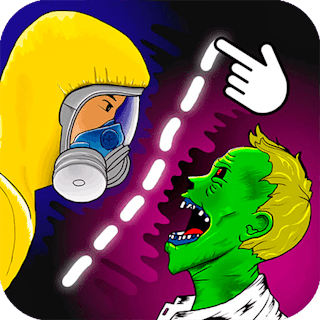
Draw safe paths to lead a hazmat survivor past traps and zombies.
4.5Runs in your browser · no download

- Category
- Junior
- Score
- 4.5
- Device
- Mobile + Desktop
- Access
- Free Play
- Controls
- Mouse + Keyboard
- Type
- HTML5 Game
The guide
Overview
Sketch a line and the survivor follows it, so a careless stroke can lead straight into danger. No lives means you can try again freely. Creative solutions often work best. Puzzle fans and kids who like drawing games should find it fun.
What it's like to play
Kids usually reach a point where they want a game that pushes back a little. Zombies VS. Lines is built for that point. It might be a short platform run, a counting puzzle, a colouring task or a simple race, but each stage asks for a bit of focus. Wins come quickly enough to keep spirits up. Losses are soft and short-lived. Parents get a game they can glance at and immediately understand, which counts for a lot.
Controls
- Mouse to aim, click to act
- Arrow keys or WASD to move; Space to jump or confirm
- Press Escape or the exit button to leave the full-screen player
How to play
- 1Open Zombies VS. Lines and let your child press Play themselves.
- 2Watch the first stage together and point out what the goal is.
- 3Let them try the controls, stepping in only if they get stuck.
- 4Praise progress between stages, then let them carry on solo.
Features
- Free to play, nothing to install, no account needed
- Loads in the browser tab and opens full screen when you press Play
- Plays best with the phone turned sideways or on a wider screen
- Mouse and keyboard controls, with touch support on most devices
- Listed under Junior
Why it's worth a go
Zombies VS. Lines gives young players a fair, gentle challenge that's easy to follow. It's free, runs in the browser, and doesn't require any account.
Who it's for
For kids who've got the hang of simple games and want a bit more. Also suits parents and older siblings who like to play alongside.
FAQs
- Is Zombies VS. Lines educational?
- Some Junior games practise counting, letters or shapes. Others are just gentle fun. The game page description says which.
- How long is each stage?
- Usually short, so a few stages fit into a break without trouble.
- Can I play it on a phone?
- Yes. Touch controls work fine, though a tablet's larger screen is easier for small hands.