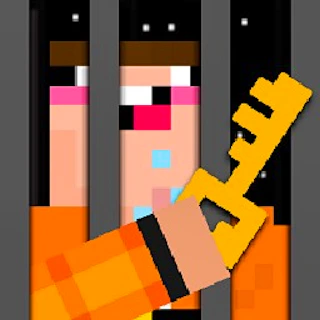
Browser game · Adventure
Noob's Great Escape
Help Noob break free across 100 puzzle levels full of surprise twists.
4.6Runs in your browser · no download

- Category
- Adventure
- Score
- 4.6
- Device
- Mobile + Desktop
- Access
- Free Play
- Controls
- Mouse + Keyboard
- Type
- HTML5 Game
The guide
Overview
Noob wants out, and each of the hundred stages is another obstacle in his way. You'll need quick reflexes for some and careful thinking for others, since tricks and surprises keep popping up. Levels are short, so failing isn't painful. Fans of quirky escape puzzlers should give him a hand.
What it's like to play
Adventure games are about going places and figuring out what's there. In Noob's Great Escape, that usually means moving through a series of areas, poking at anything that looks interesting, and putting together clues or items to get past whatever blocks the way. Some stretches are calm and exploratory, others ask for a jump or a quick dodge. The pace is yours to set, and curiosity tends to pay off.
Controls
- Mouse to aim, click to act
- Arrow keys or WASD to move; Space to jump or confirm
- Press Escape or the exit button to leave the full-screen player
How to play
- 1Learn the movement controls first, usually arrow keys, WASD, or taps.
- 2Check corners and side paths; useful items are often off the main route.
- 3Try interacting with objects and characters when you're unsure what to do.
- 4If you're blocked, retrace your steps and look for something you skipped.
Features
- Free to play, nothing to install, no account needed
- Loads in the browser tab and opens full screen when you press Play
- Plays best with the phone turned sideways or on a wider screen
- Mouse and keyboard controls, with touch support on most devices
- Listed under Adventure
Why it's worth a go
There's a pleasure in finding things yourself. Noob's Great Escape rewards nosy players and gives you a sense of progress as new areas open up.
Who it's for
Curious players, puzzle-minded explorers, and anyone who likes a game with a bit of story. Older kids and adults will get the most from it.
FAQs
- How do I move in Noob's Great Escape?
- Arrow keys or WASD on a keyboard are common, and touch versions usually use on-screen buttons or taps.
- Does it save my progress?
- Some adventure games save checkpoints in your browser. Others expect you to play through in one go, so look for a save option.
- Can I play on mobile?
- Many adventure games work on phones and tablets, though games with precise movement can feel easier on a keyboard.