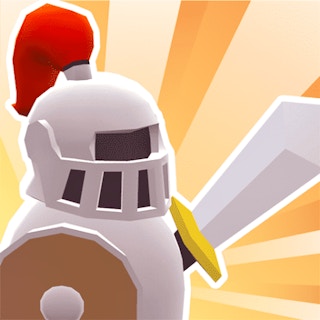
Browser game · Action
Knight 360
Whirl a knight through 3D dungeons, spinning blades into skeletons and ghosts.
4.6Runs in your browser · no download

- Category
- Action
- Score
- 4.6
- Device
- Mobile + Desktop
- Access
- Free Play
- Controls
- Touch + Keyboard
- Type
- HTML5 Game
The guide
Overview
Spin attacks do the heavy lifting here. You steer your armoured hero through 3D stages crawling with monsters, keeping the circle of steel pointed at whatever creeps closest. Enemies switch up their behaviour as levels go on, so a plan that worked earlier may fail later. Played upright, it suits quick sessions on a phone.
What it's like to play
Knight 360 puts you in the middle of things quickly. Enemies show up, you deal with them, and the screen rarely stays quiet for long. Movement and attacks are the core, with dodging, blocking, or special moves layered in depending on the game. The skill lies in reading what's coming and reacting a fraction early. You'll take hits at first, and then, gradually, fewer of them.
Controls
- Tap, hold and swipe on phones and tablets
- Mouse or trackpad on a computer; arrow keys or WASD where the game asks for movement
- Press Escape or the exit button to leave the full-screen player
How to play
- 1Check the controls screen to learn move, attack, and any special keys.
- 2Stay mobile, since standing still is usually how you get hit.
- 3Watch enemy patterns and hit back during their openings.
- 4Save special moves for crowds or tough opponents.
Features
- Free to play, nothing to install, no account needed
- Loads in the browser tab and opens full screen when you press Play
- Designed for a phone held upright
- Touch controls on phones and tablets, mouse and keyboard on a computer
- Listed under Action
Why it's worth a go
It's a burst of activity that clears your head. Knight 360 keeps you busy and focused, and every improvement shows up right away in how long you last.
Who it's for
Players who like reflex games, fighting game fans, and anyone wanting something lively in a short session. Best for older kids and up.
FAQs
- What are the controls for Knight 360?
- Usually arrow keys or WASD to move and a couple of keys or clicks to attack. Check the game's help or start screen for specifics.
- Is there violence?
- Action games often involve combat, usually cartoonish. If that matters for younger players, preview it first.
- Can I play on a phone?
- Some action games offer touch controls, but many play best with a keyboard.