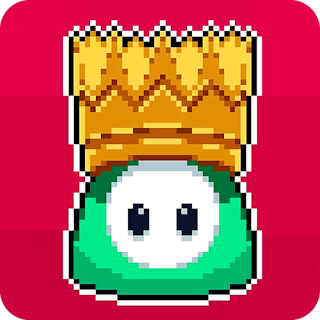
Browser game · Casual
Fall Heroes Guys
Scramble through goofy obstacle courses against as many as 40 rivals.
4.6Runs in your browser · no download

- Category
- Casual
- Score
- 4.6
- Device
- Mobile + Desktop
- Access
- Free Play
- Controls
- Mouse + Keyboard
- Type
- HTML5 Game
The guide
Overview
Every round drops you onto a wacky course crowded with other runners. Dodge, weave and pick smart routes to stay ahead, since only the quick survive. Costumes let your runner stand out. Controls are simple, so it's easy to jump in. Party-game fans who like chaotic races will find plenty to laugh at.
What it's like to play
Fall Heroes Guys is easy to hand to someone else. Show a friend or a younger sibling the first round and they'll get it immediately, which makes it a nice game to pass around. The controls are basic and the goals are visible, so there's very little explaining to do. That simplicity is deliberate. It leaves room for small decisions, like which move to make first, without loading you up with rules.
Controls
- Mouse to aim, click to act
- Arrow keys or WASD to move; Space to jump or confirm
- Press Escape or the exit button to leave the full-screen player
How to play
- 1Press Play and look for the short instructions or arrows on screen.
- 2Use clicks or taps to make your choices.
- 3Follow the goal for each round and see how close you can get.
- 4Pass it to someone else for a turn and compare results.
Features
- Free to play, nothing to install, no account needed
- Loads in the browser tab and opens full screen when you press Play
- Plays best with the phone turned sideways or on a wider screen
- Mouse and keyboard controls, with touch support on most devices
- Listed under Casual
Why it's worth a go
Shared, simple fun is underrated. Fall Heroes Guys is free, needs no install, and almost anyone can figure it out in a moment.
Who it's for
Families, friends sharing a screen, and people who want a game they can show their parents. Most ages can join in.
FAQs
- Can two people play Fall Heroes Guys at once?
- Most casual browser games are single player, but it's easy to take turns and compare scores.
- Is it suitable for children?
- Casual games here are generally family-friendly. A quick look before handing it over is always sensible.
- What if it freezes?
- Reload the page. If that doesn't help, try another browser or close extra tabs.