Browser game · Kids
Angry Tower
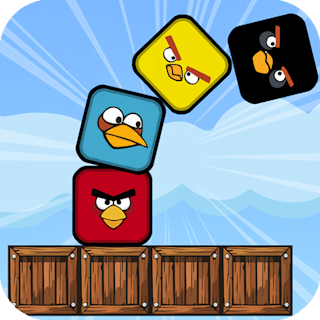
Drop swaying blocks onto a stack and build as high as you dare.
4.5Runs in your browser · no download

- Category
- Kids
- Score
- 4.5
- Device
- Mobile + Desktop
- Access
- Free Play
- Controls
- Touch + Keyboard
- Type
- HTML5 Game
The guide
Overview
Each block swings back and forth, and you let go when it lines up with the stack below. Blocks speed up as you climb, so rhythm beats rushing. One sloppy drop and the whole thing comes down. Portrait and simple to pick up, which makes it handy for quick breaks.
What it's like to play
If you've watched a toddler with a tablet, you know they don't read instructions. They tap, they drag, they laugh at whatever happens. Angry Tower is built around that. Every screen has an obvious thing to touch, and touching it does something worth seeing. Mistakes are shrugged off with another try. Stages are short, so a child who wanders off mid-game hasn't lost much, and coming back later feels just as easy as starting fresh.
Controls
- Tap, hold and swipe on phones and tablets
- Mouse or trackpad on a computer; arrow keys or WASD where the game asks for movement
- Press Escape or the exit button to leave the full-screen player
How to play
- 1Hold the device so the child can reach the whole screen comfortably.
- 2Let them tap freely at first; the game usually guides them toward the right target.
- 3Point out the reward animation when they get something right.
- 4Move to the next stage together, or let them replay the bit they liked most.
Features
- Free to play, nothing to install, no account needed
- Loads in the browser tab and opens full screen when you press Play
- Designed for a phone held upright
- Touch controls on phones and tablets, mouse and keyboard on a computer
- Listed under Kids
Why it's worth a go
Short, friendly stages and quick rewards make Angry Tower easy for young kids to enjoy. It costs nothing and opens in a tab, so there's no app to install and nothing to clear up afterwards.
Who it's for
Best for preschoolers and young children who learn by poking at things. Parents get a simple game they can hand over after a quick look.
FAQs
- Is Angry Tower hard to control?
- No. Kids games here use taps and simple drags, and the targets are large enough for small fingers.
- Does my child need to read?
- Rarely. The game shows what to do with pictures and sound, and any text is short.
- Will it play on a phone?
- It will, though small hands get more room on a tablet. Everything works by touch.